
blog
How to report suspicious activity to Spamhaus (with all the right info!)
Cybercriminals never rest – but anyone can play a role in stopping them. Sharing malicious activity is one of the most important ways we can strengthen safety on the internet. Spamhaus Threat Intel Community brings individuals and organizations together to share threat data and block spam, phishing, and malware campaigns worldwide. Find out how you can get involved.
In this Blog
Jump to
What is the Spamhaus Threat Intel Community?
It is a dedicated platform where anyone can easily report malicious activity to Spamhaus. Whether you’ve spotted a single spam email, or you’re a researcher looking to increase the reach of your threat-researching activities, your contributions are welcome here.
Every piece of data helps, whether it’s a phishing site, a spam campaign, or a malicious IP.
What about sharing malware?
For reporting malware payloads or botnet command-and-control servers, you can share them via Spamhaus’ partner, abuse.ch. Supported by Spamhaus, abuse.ch provides community-driven threat intelligence platforms for sharing and accessing malware and botnet data.
There are four core platforms: URLhaus (malicious URLs), MalwareBazaar (malware samples), ThreatFox (indicators of compromise), and YARAify (YARA rules).
With a community of over 15,000 specialist researchers, abuse.ch helps extend the reach and impact of your malware and botnet-related data.
Getting started with the portal
There are two ways to report suspicious IPs, domains, URLs and raw source to Spamhaus: submit individually, or use the API to feed a steady stream. First you’ll need to create an account via one of three authentication methods (Github, LinkedIn or Google).
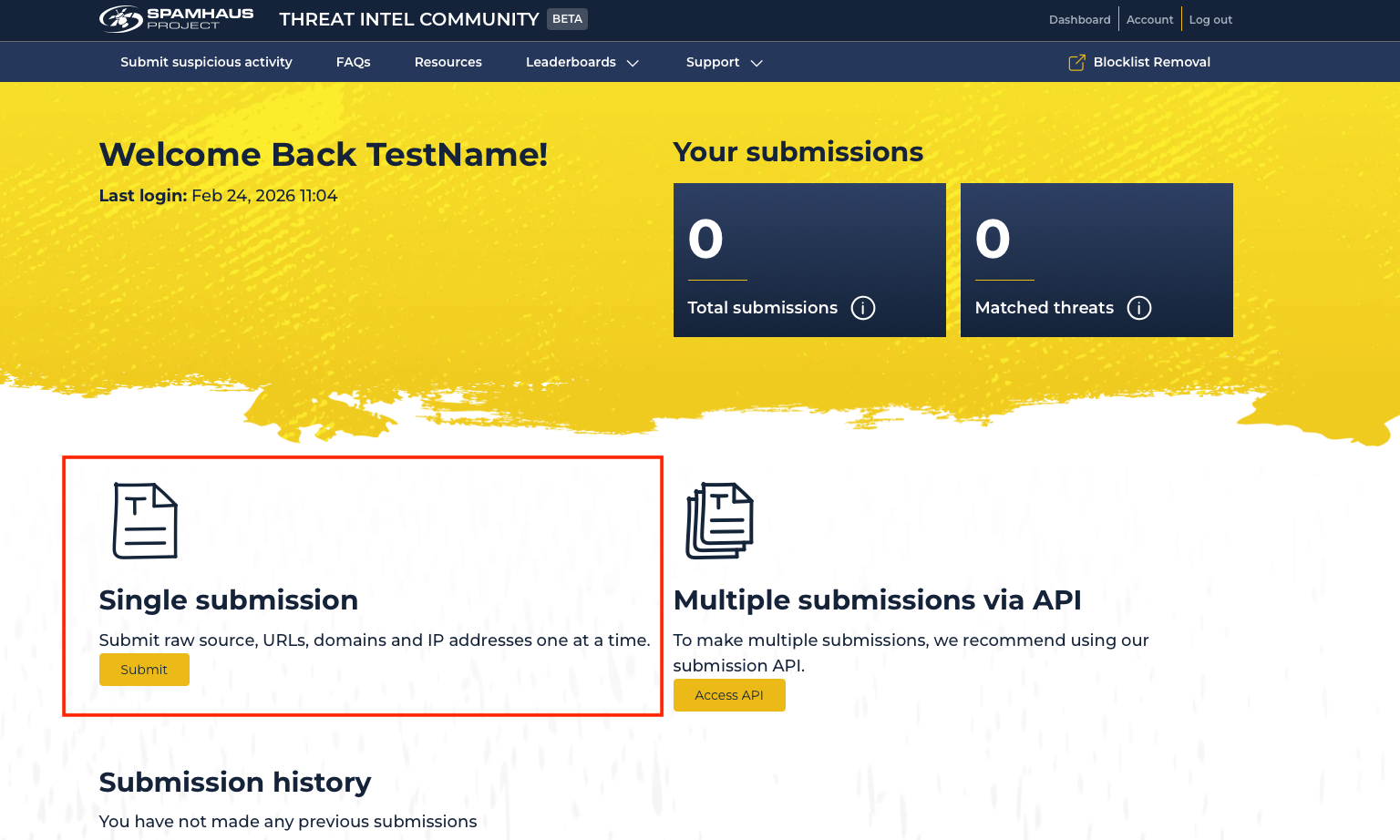
- Single submission: Once you’ve created your account, go to 'single submission' and click ‘submit’ to complete the form. Choose the submission type (IP, domain, URL, email), threat type (like spam, scam, phishing and others) and fill in the details, including why it's suspicious. Later on, we’ll explain what kind of evidence is most helpful for verifying the suspicious activity.
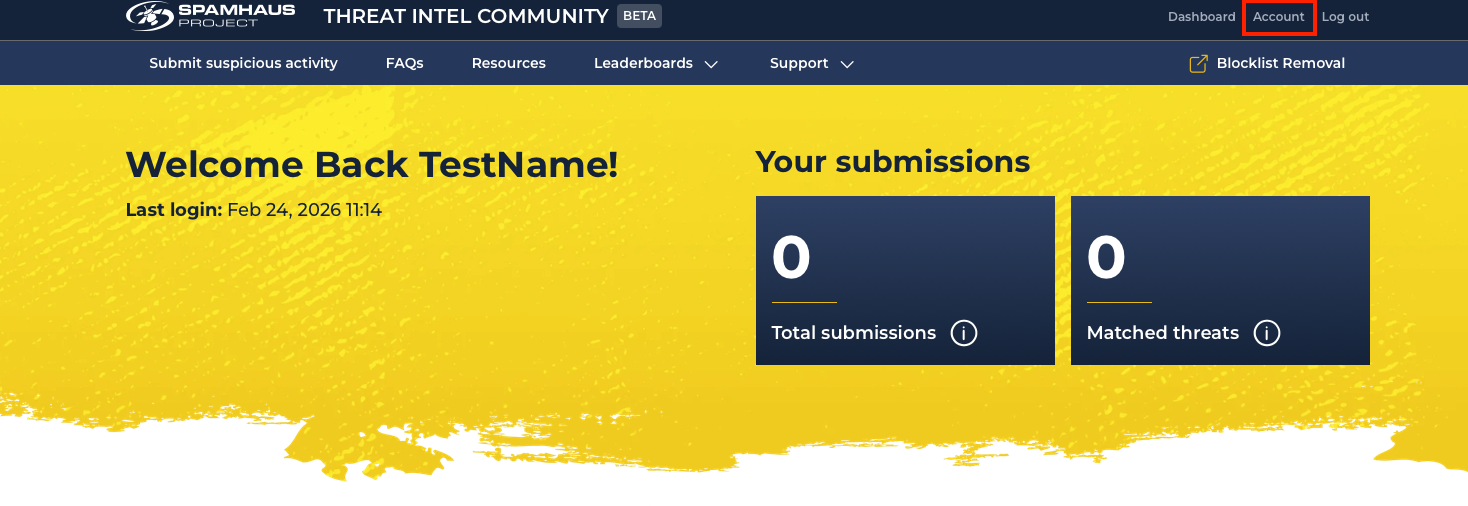
- API submissions: To send a stream of suspicious resources, you’ll need to use the API in conjunction with a key, which you can create through the account page. Login and click ‘Account.’
Scroll to ‘API Key Creation’ and click ‘Create Key.’ Copy the API Key and store it somewhere safely, as it will only be shown once.

To get started with the API, you will need some basic coding skills. Read the full technical documentation.
Once set up you can start submitting signals, although please note we do have some rate limiting applied!
Evidence is key
When submitting suspicious activity or threats, including supporting evidence makes your report much more reliable, helps prevent false positives, and allows us to verify the threat, leading to more valuable threat intelligence.
Here’s what you can do:
Keep your ‘Reason’ short and concise. Due to the high number of submissions, identifying relevant technical information quickly is vital. There’s no need to include a hello!
Add a link to screenshots of your evidence in the "Reason" field to help speed up the process of confirming malicious or suspicious activity.
Use free tools such as urlscan.io to gather phishing evidence, including relevant screenshots. You can even include elements such as geolocation, agent, screenshot, and redirect chain.
Get involved. Join the community.
Every report, no matter how small it feels, can make a real difference. If you care about cybersecurity and want to be part of something meaningful, we welcome you to contribute and join our community.
By sharing our knowledge and working together, we can make it much harder for cybercriminals to succeed, and make a safer internet for everyone.
Visit the Spamhaus Threat Intel Community portal and make your first report!
Please review the frequently asked questions, particularly ‘What are the terms and conditions for submitting data’ to ensure that using the Threat Intel Community portal is right for you.